Bake-off: AI Sketch-to-Render Tools
Vizcom vs. Krea vs. ComfyUI: sketch → render → video
I ran one archived exploratory sketch of a countertop coffee maker through three AI tools (Vizcom, Krea, and a local ComfyUI pipeline) using the same render prompt and the same motion prompt. Each trades off cost, speed and fidelity differently. Knowing which to use when is part of the craft.
Timing: September 2026
Type: Self-initiated benchmark
Tools: Vizcom · Krea · ComfyUI
Workflows: Sketch → render · Render → video
Date: September 2026
Which AI tool, for which step?
AI tools can now take an industrial design sketch to a believable render, and that render to motion, in minutes. They get there in very different ways, and those differences decide which one belongs in a real design workflow.
I took one sketch and ran it through three of them, Vizcom, Krea and a local ComfyUI pipeline, holding the sketch, the render prompt and the motion prompt constant. Then I judged each on what matters in practice: how faithfully it kept the sketched form, how it handled materials, what it cost, how long it took, and whether I could repeat the result.
Below: the setup, each tool's path from sketch to video, how closely each followed the sketch, and when I'd use each one.
The controlled input
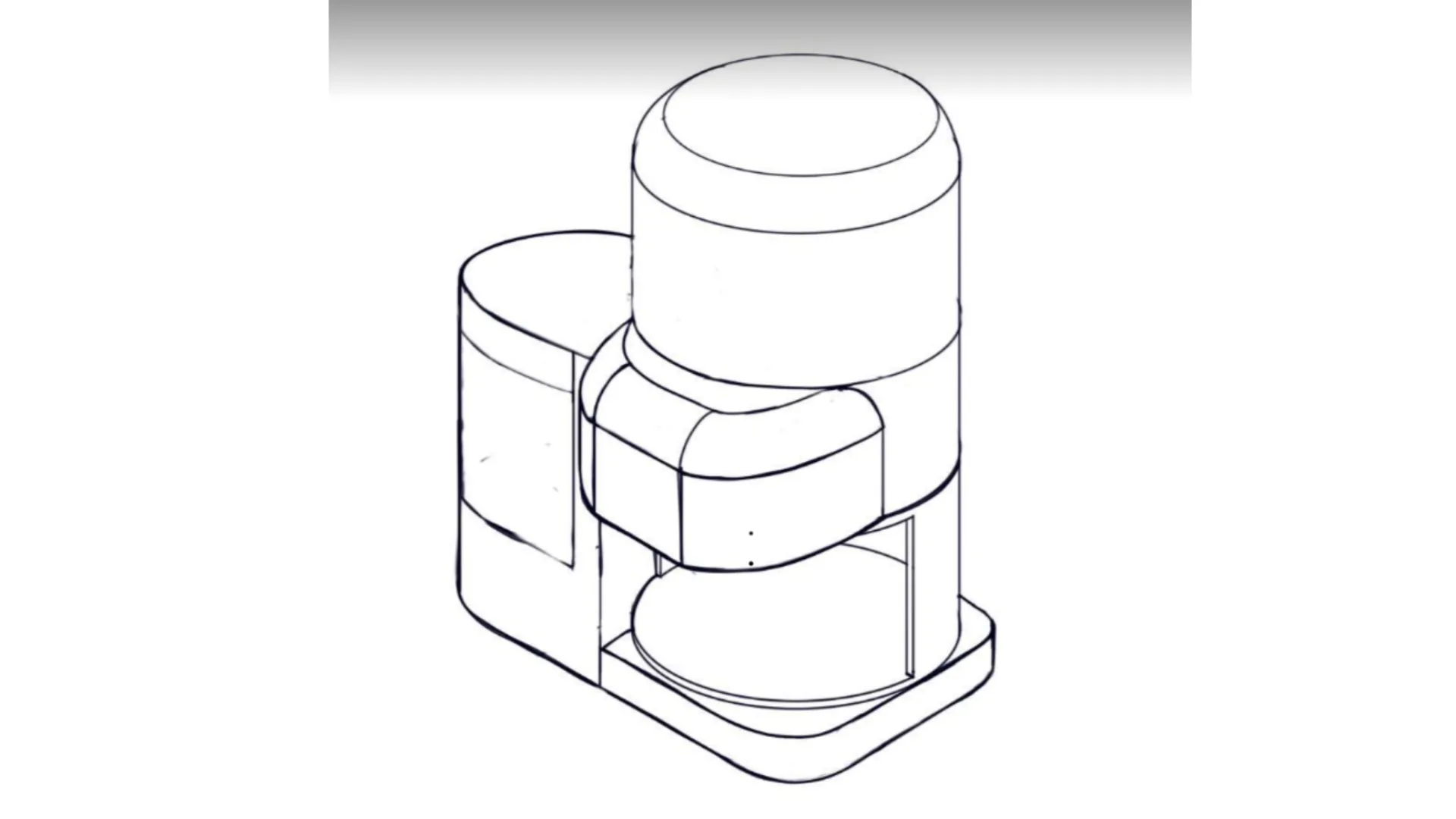
Archived exploratory sketch from an abandoned project. Every tool received this file. Note: the prompt says "upright cylinder," but the part I intended to be translucent is the side reservoir, and that's where all three tools put it.
- Render prompt
- visualize this dimensional study with dark gray tones, dark-satin-finished metal accents, injection-molded matte plastic while respecting the form of the countertop coffee maker, kitchen countertop background, with only the upright cylinder shown as translucent frosted polymer.
- Motion prompt
- zoom out tracking shot centered on the coffee maker, bouncing camera
Results at a glance
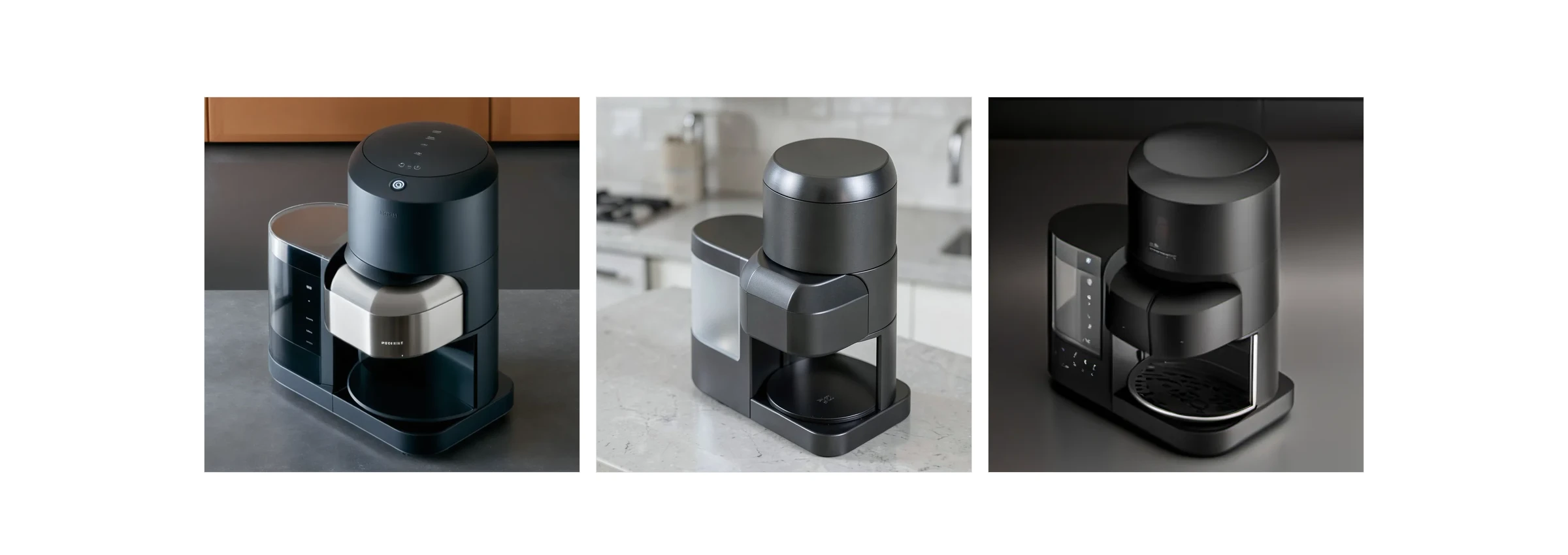
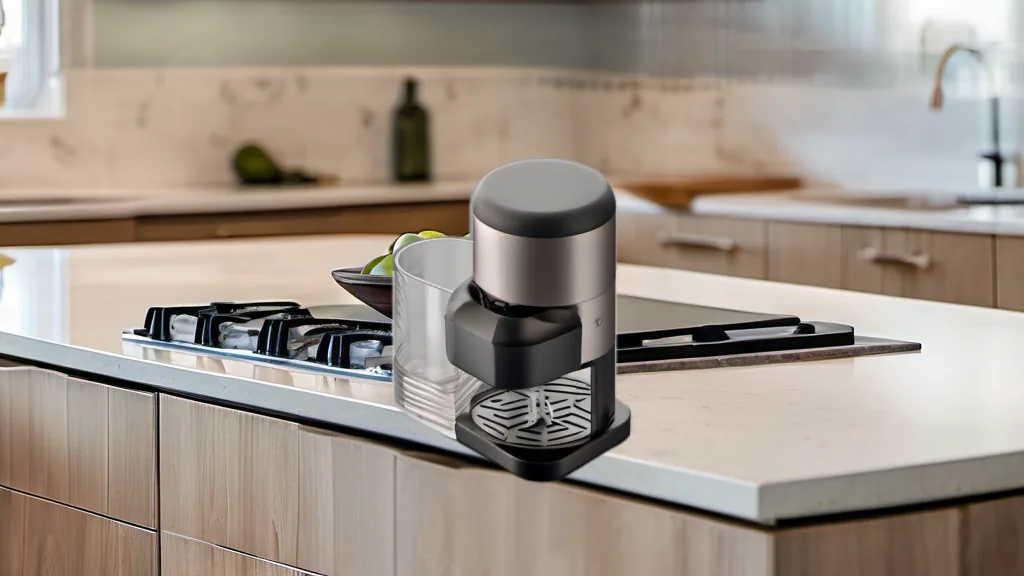
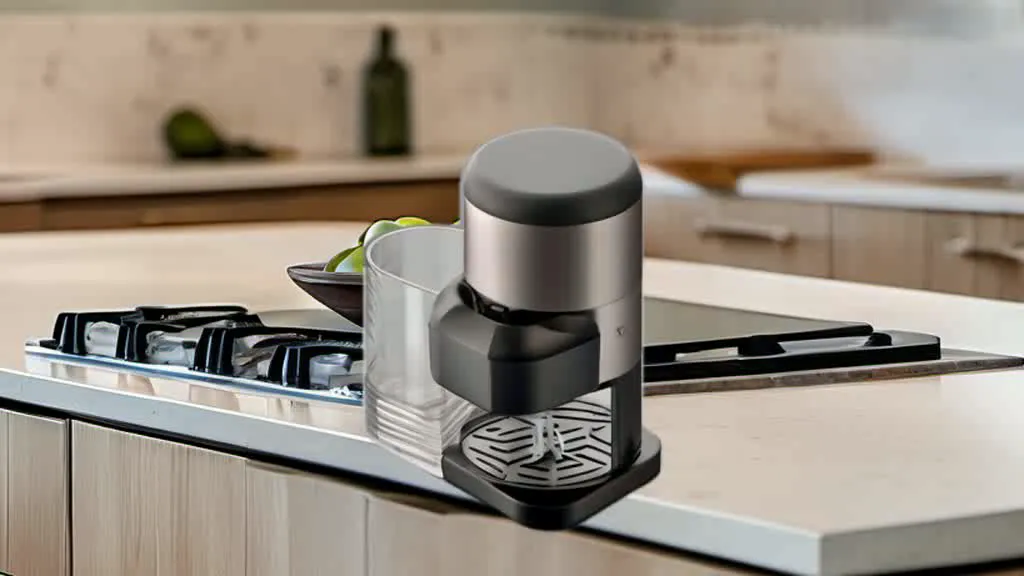
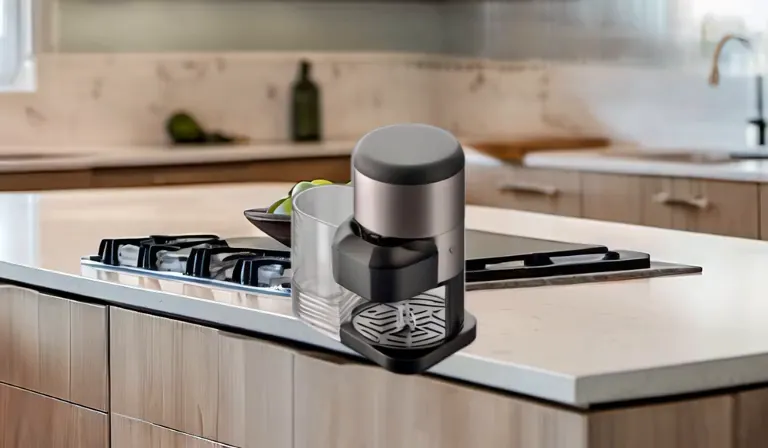
Same sketch, same prompt. Left to right: Vizcom, Krea, ComfyUI.
Vizcom
Render and animate on a single canvas.
How I varied from the workflow
Closest to the archetype: render and animate on one canvas. I ran the render step twice and animated both rounds.
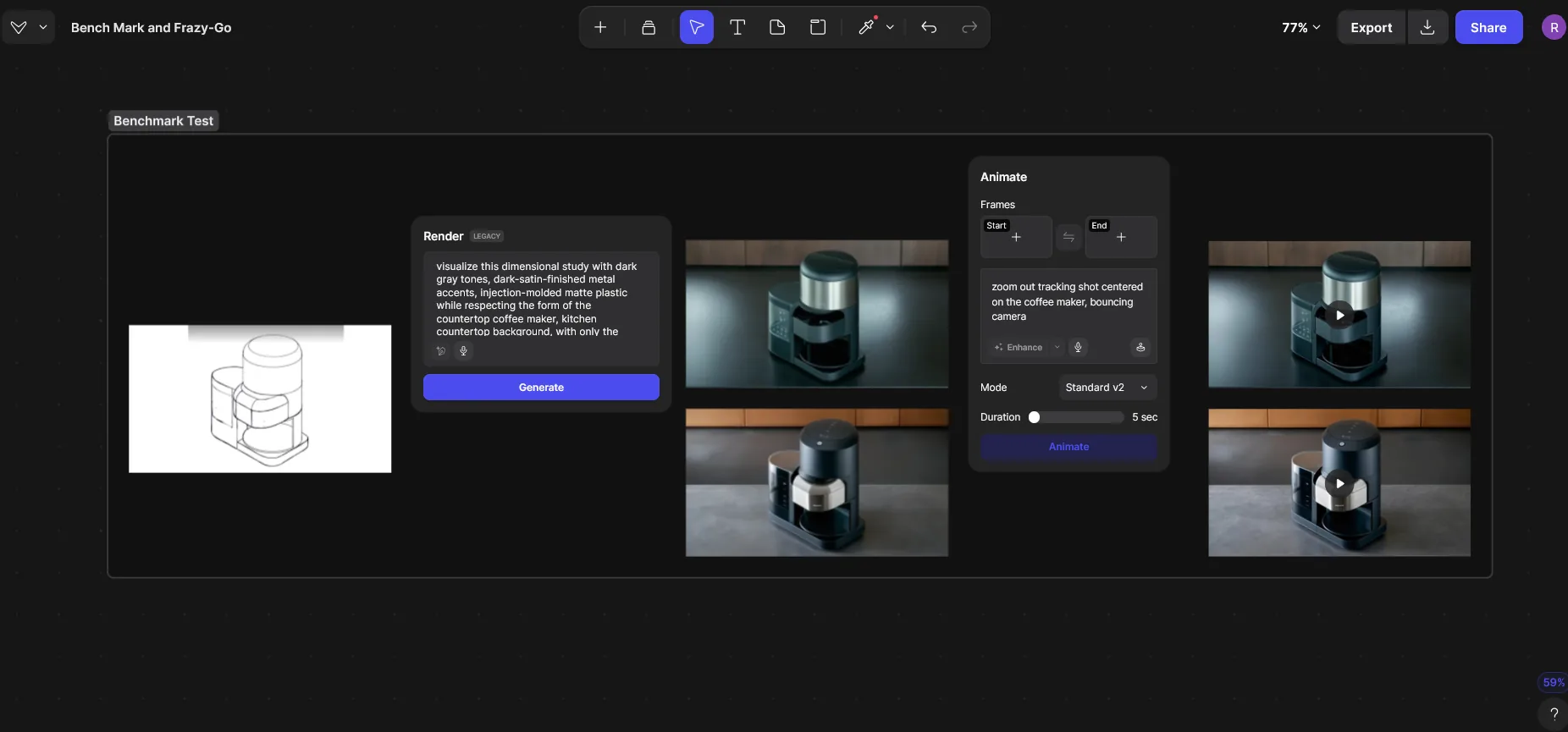
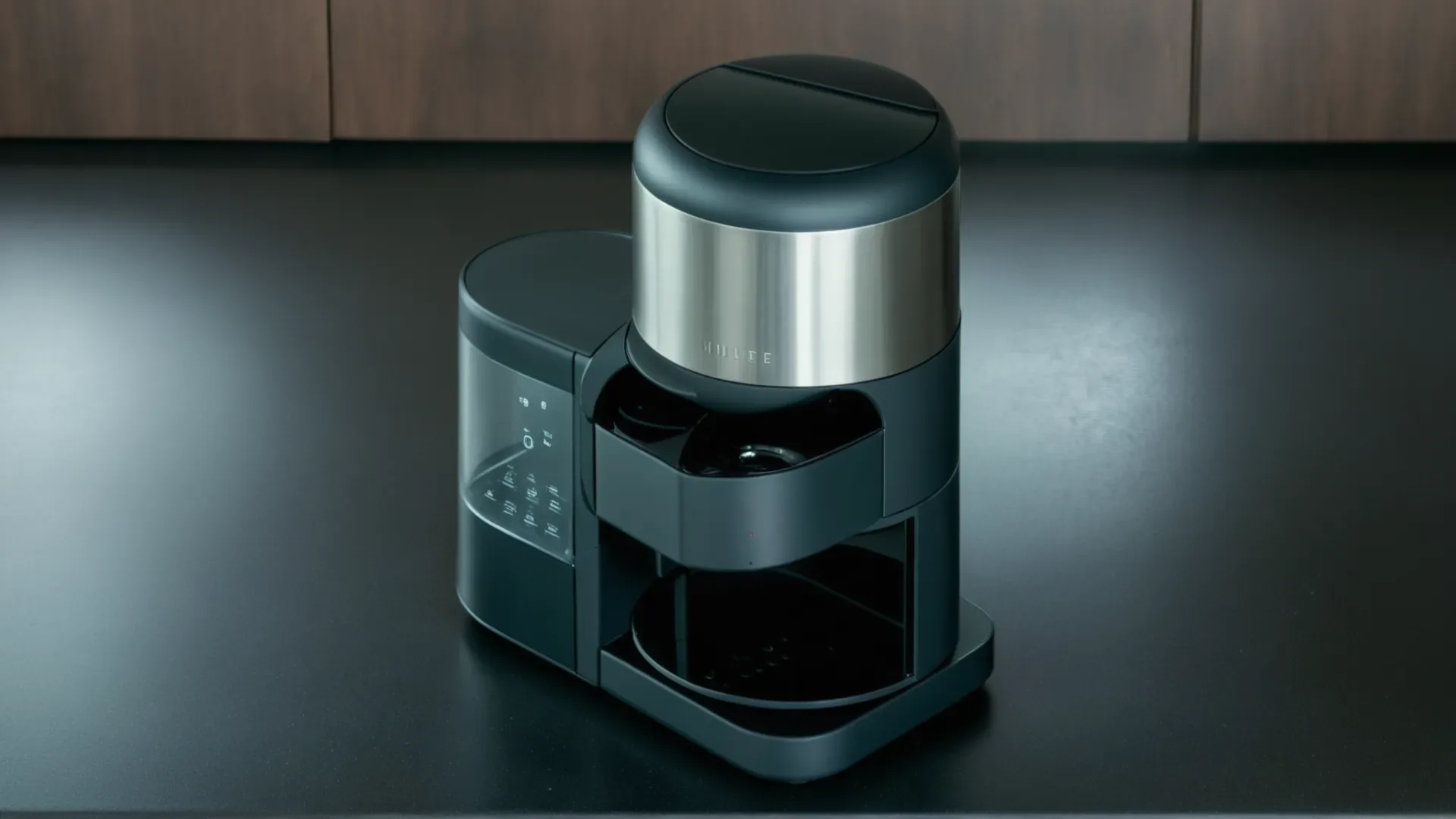
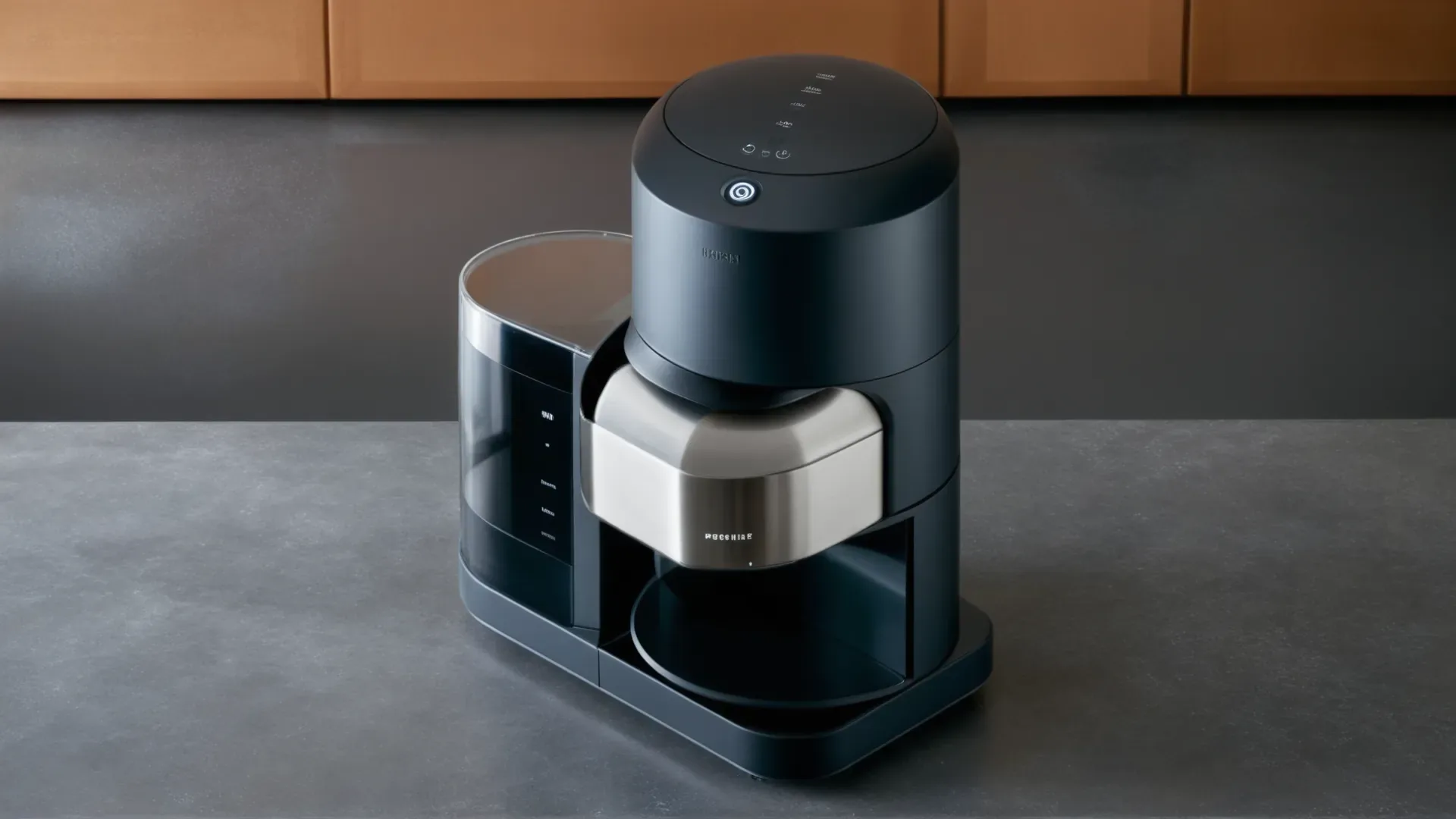
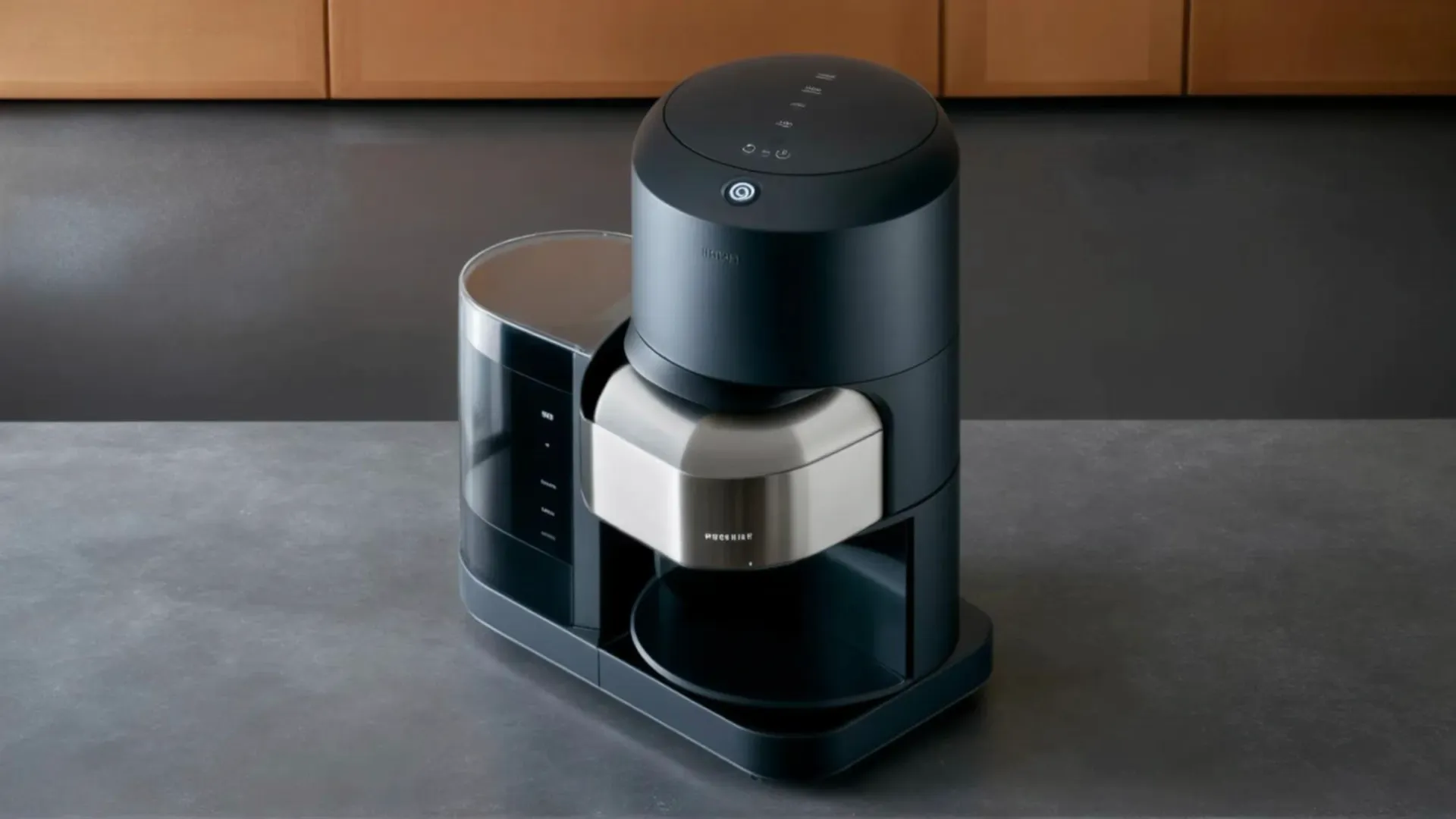
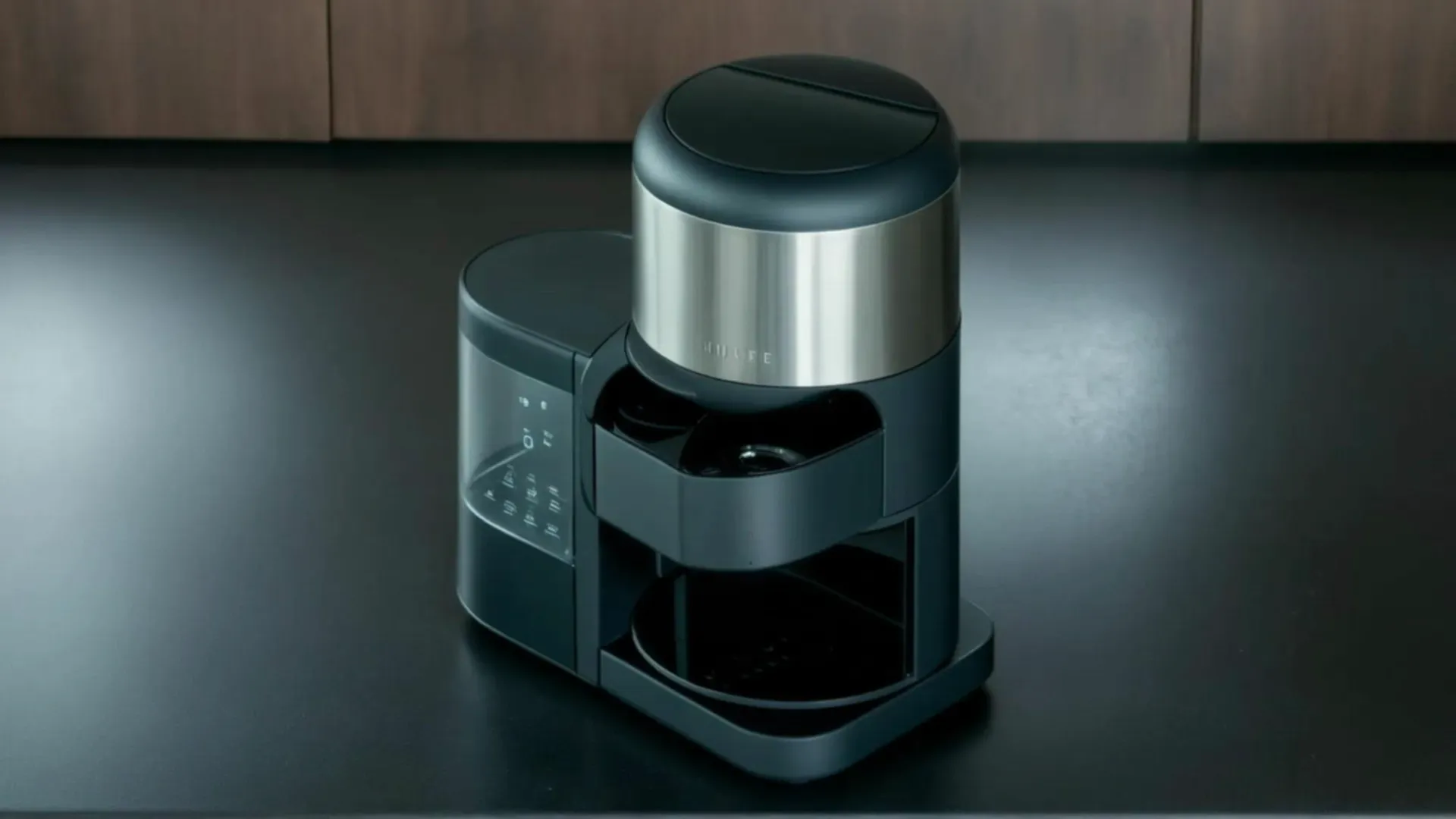
Vizcom render + Animate (Standard v2) · Free tier: 3 units render, 54 units video
Krea
Two separate apps: Realtime for the render, then Video. The start frame is handed off manually.
How I varied from the workflow
Split across two apps: rendered in Realtime, then carried the start frame by hand into the separate Video app. Realtime rendered at 1:1, and the Video app returned a 512×928 portrait clip with no aspect control.
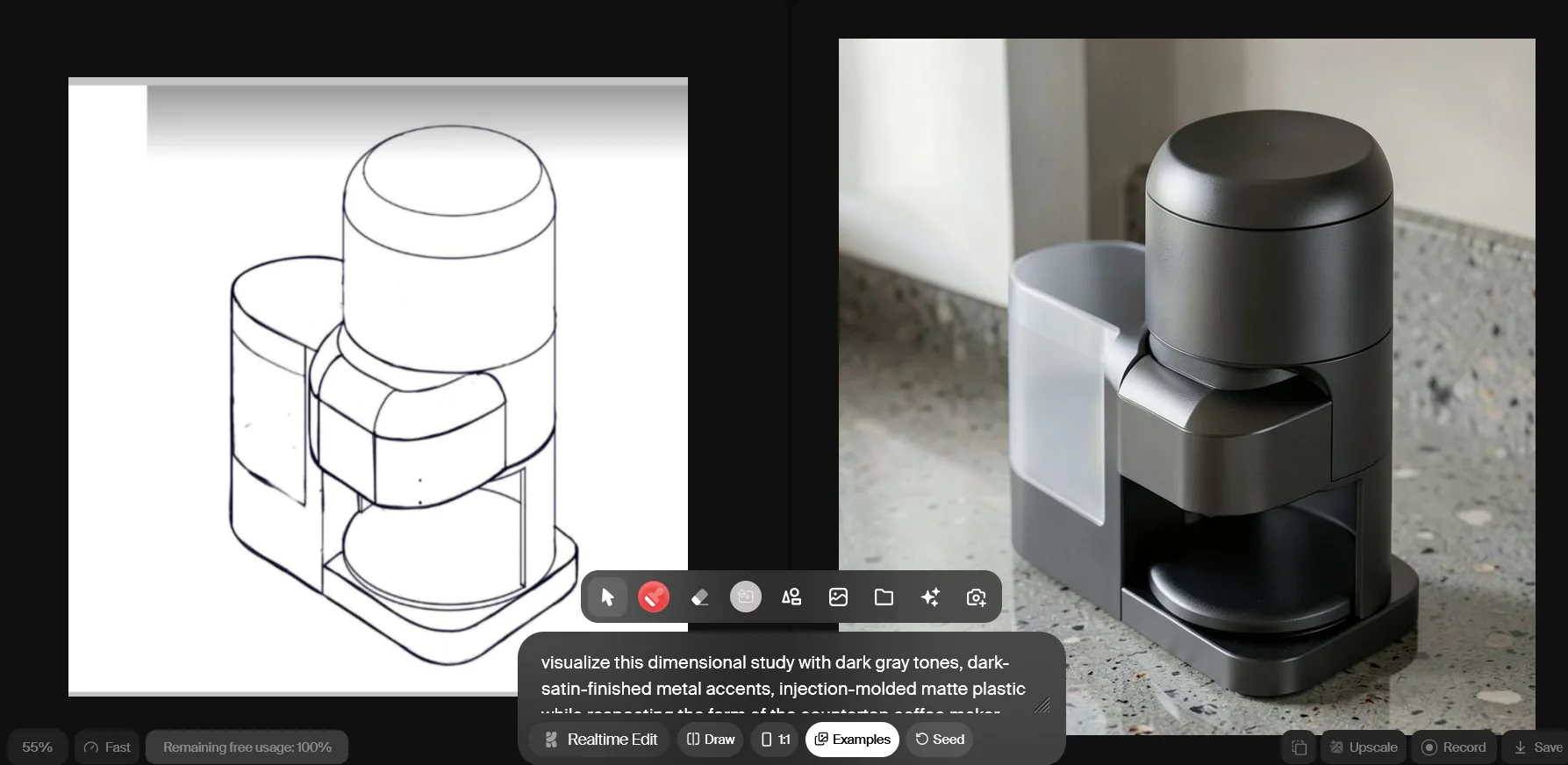
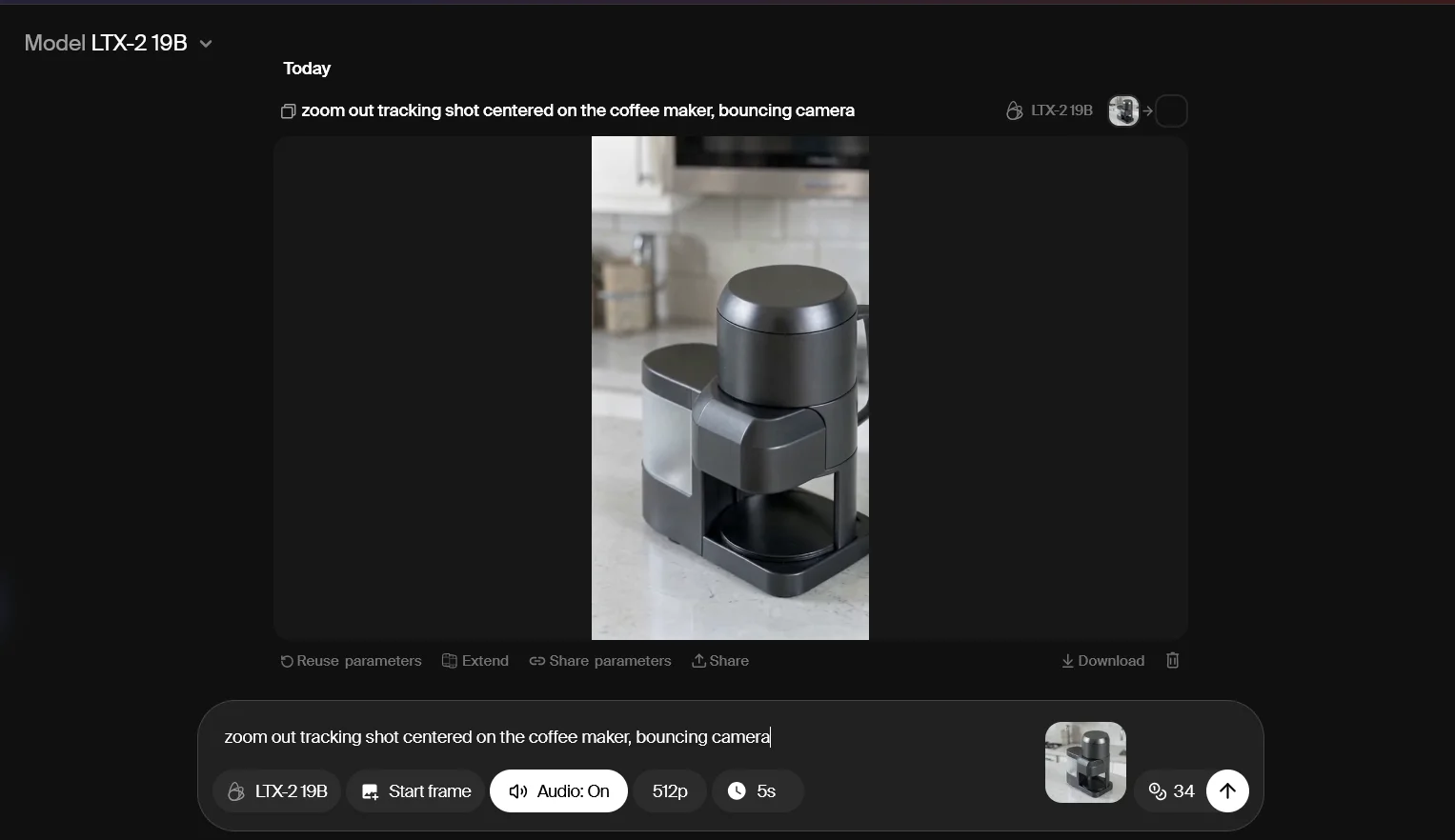
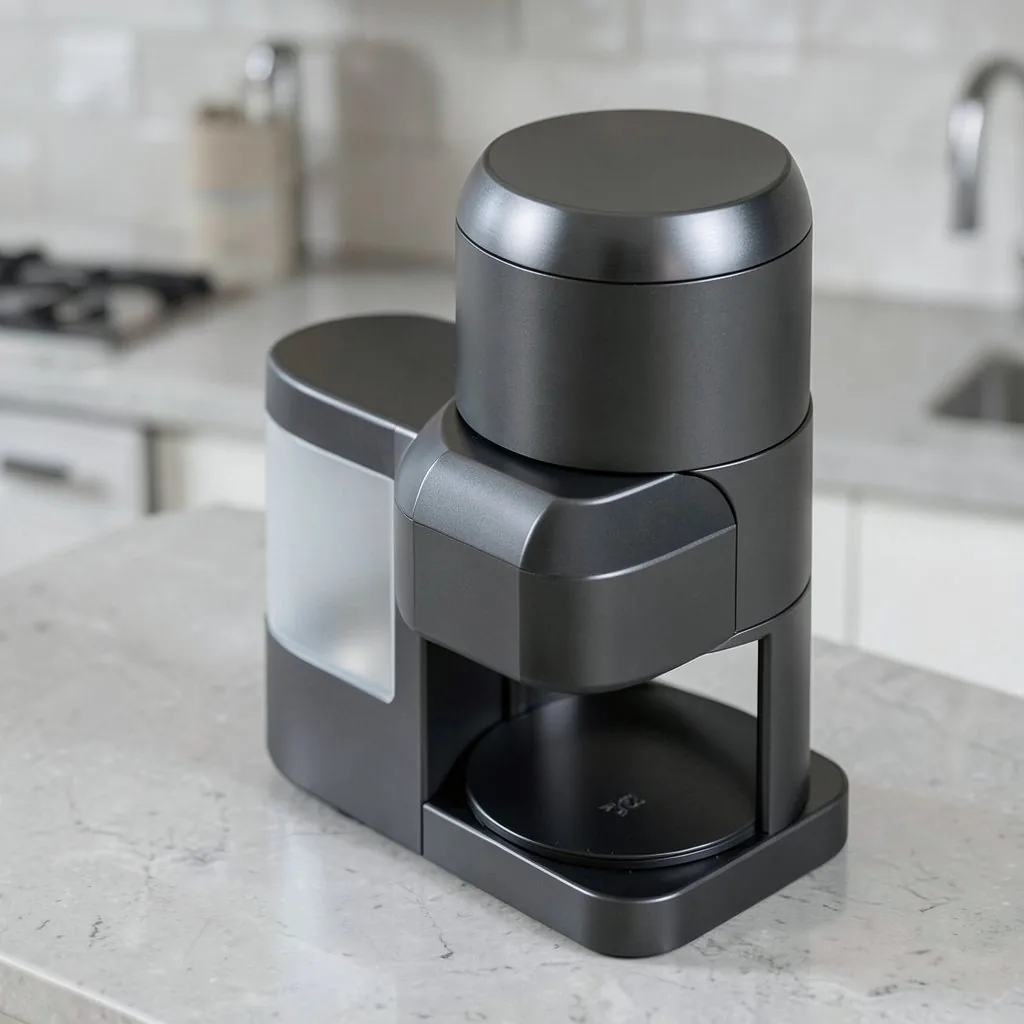
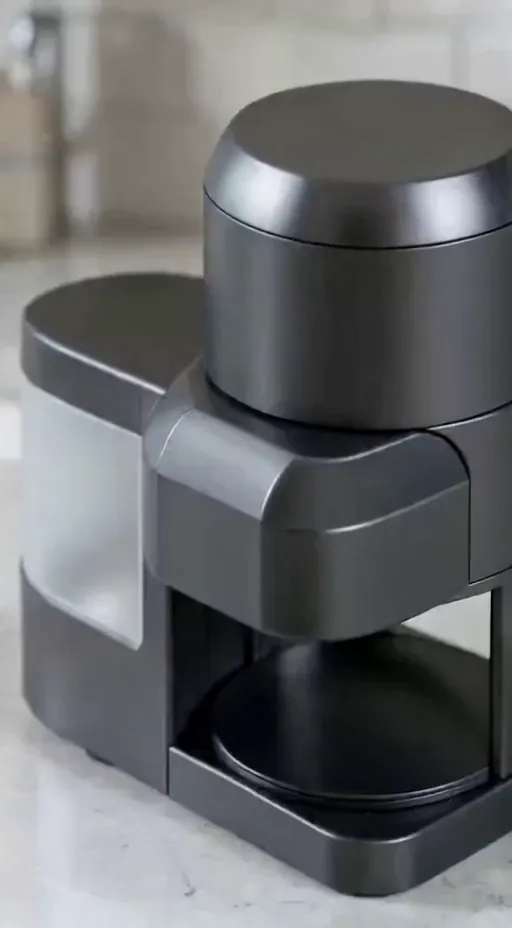
Krea Realtime + LTX-2 19B · Free tier: 5% of Realtime usage, 34 units video
ComfyUI (local)
A scripted node graph run through API calls, with fixed seeds: reproducible, private, no per-run cost.
How I varied from the workflow
Had to build the steps myself: an SDXL + Scribble ControlNet graph with the sketch lines inverted for conditioning, run through API calls with fixed seeds. For video, a 2B model in place of the cloud tools' larger ones, to fit an 8 GB laptop GPU.
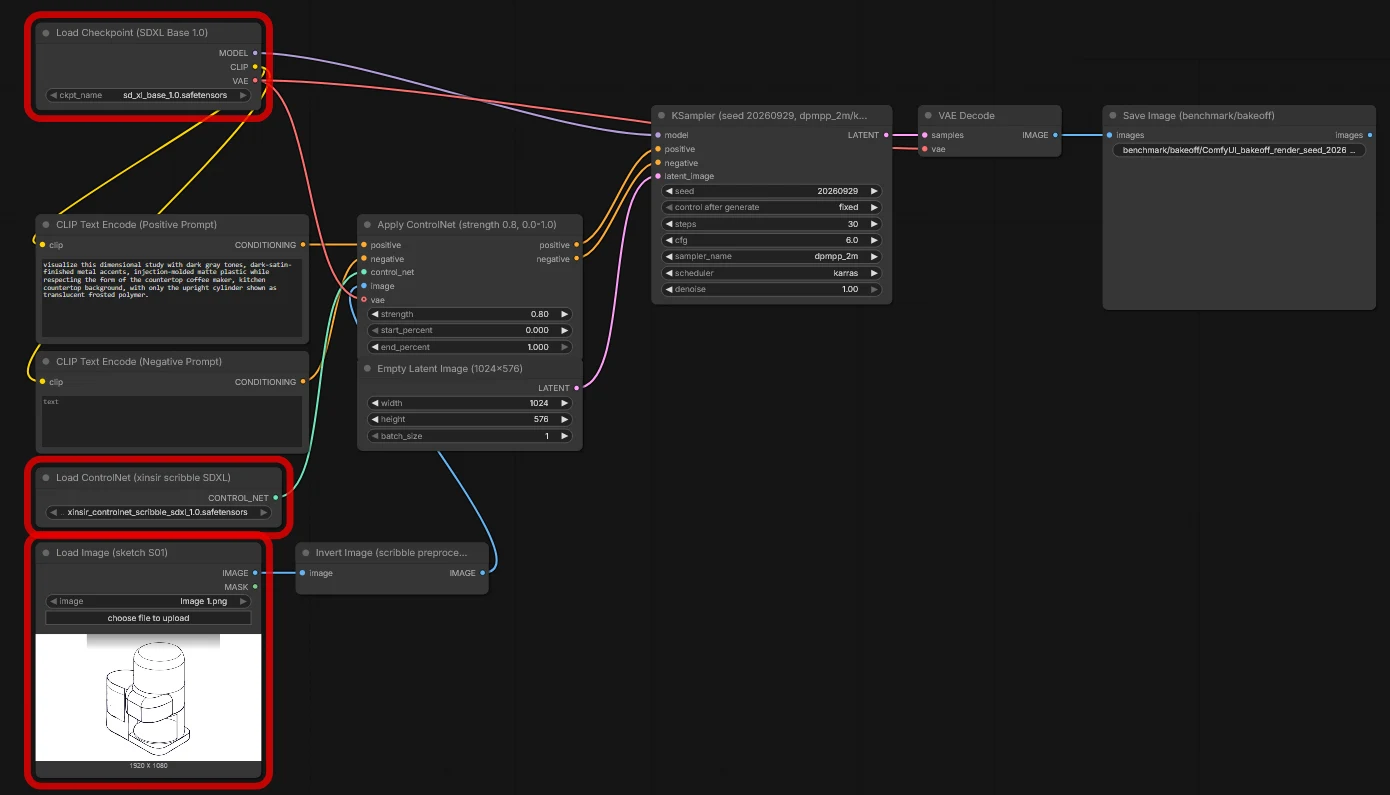
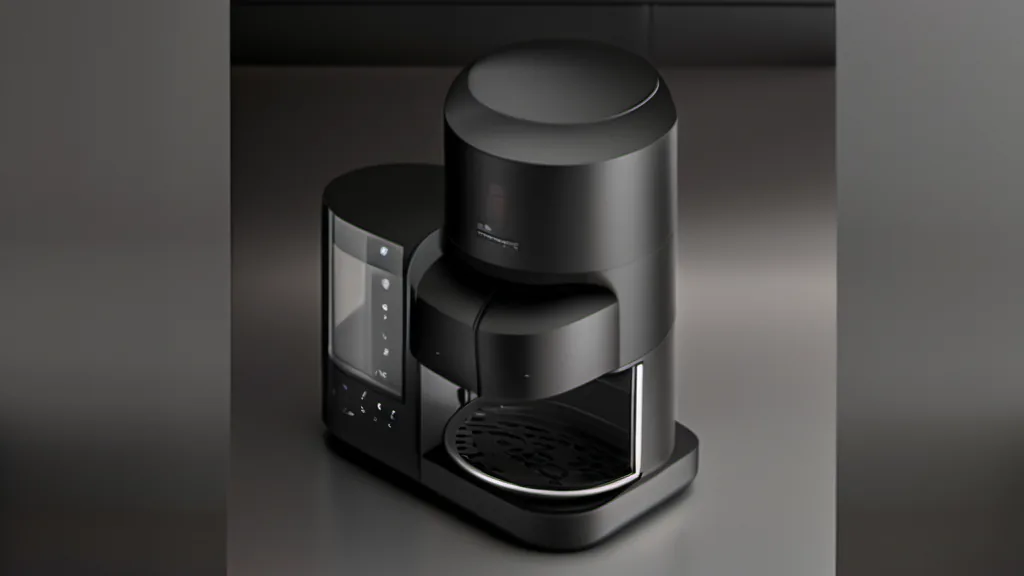
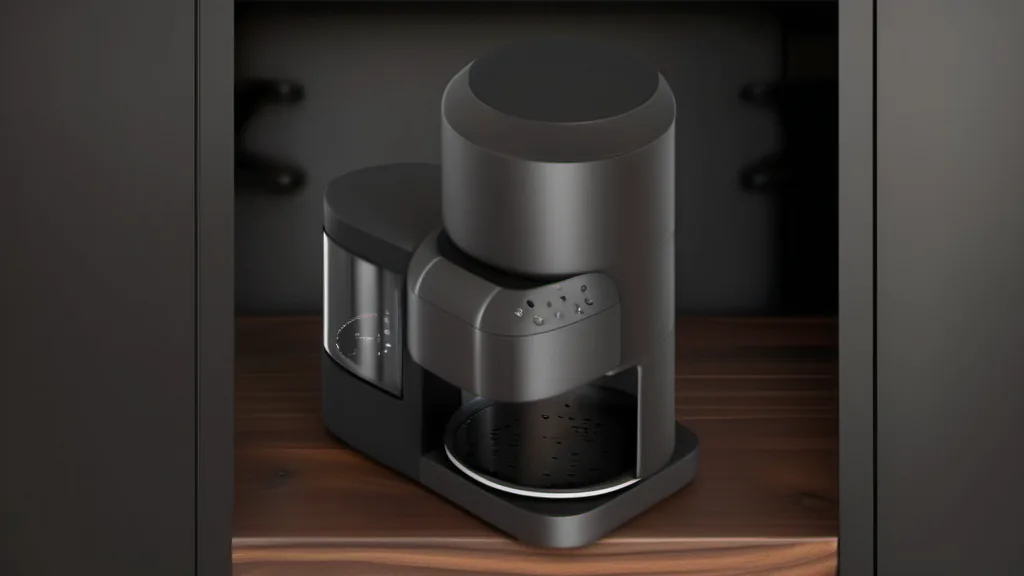
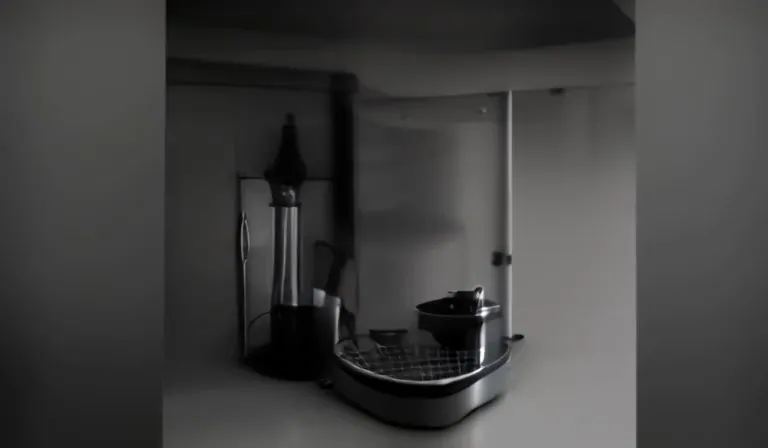
SDXL 1.0 + Scribble ControlNet, LTX-Video 0.9.5 2B · $0 marginal · renders 43–50 s, video 72 s
Sketch fidelity
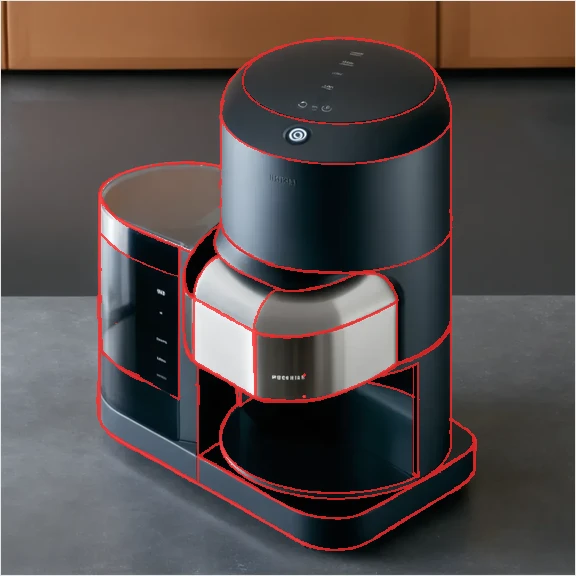
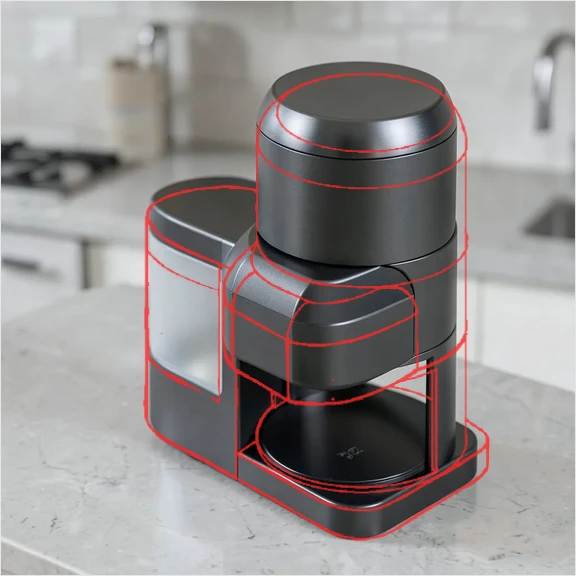
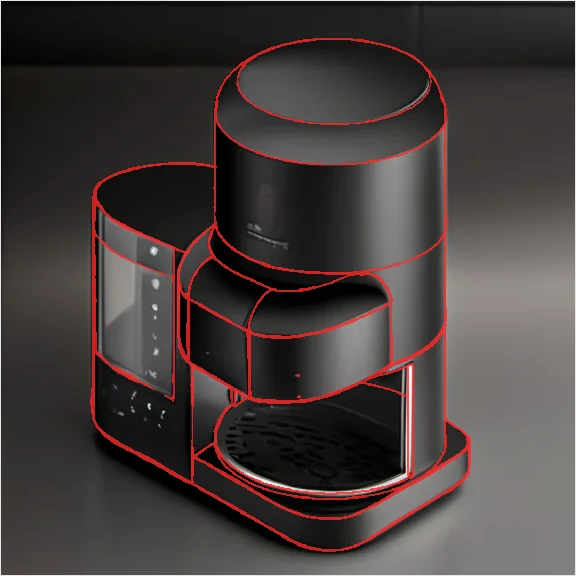
Input sketch linework (red) over each render. Krea reframed to 1:1 and redrew the proportions; Vizcom and ComfyUI condition directly on the sketch canvas.
Evaluation
| Metric | Vizcom | Krea | ComfyUI (local) |
|---|---|---|---|
| Render model | Vizcom Render | Krea Realtime (1:1, Fast) | SDXL 1.0 + Scribble ControlNet |
| Video model1 | Vizcom Animate (Standard v2) | LTX-2 19B | LTX-Video 0.9.5 2B |
| Workflow | One canvas | Two apps, manual handoff | Scripted graph, fixed seeds |
| Cost2 | $0 (free tier) · 3 + 54 units | $0 (free tier) · 5% + 34 units | $0 marginal · ~20 GB models |
| Generation time | Not logged | Not logged | 43–50 s render · 72 s video |
| Ease of use | 7/10 | 6/10 | 3/10 new · 6/10 once set up |
| Video output | 1920×1080 landscape | 512×928 portrait | 768×448 |
| Translucency placement | Side reservoir, as intended (prompt said cylinder) | Side reservoir, as intended (prompt said cylinder) | Side reservoir, as intended (prompt said cylinder); lost in the video |
| Line fidelity to sketch | Registers almost exactly | Massing kept, proportions redrawn | Registers almost exactly |
| Combined quality3 | 7/10 | 8/10 | 4/10 |
| Best when | The work lives on one canvas and needs presentable landscape motion | You want the most polished first render, accepting that it redraws proportions | The pipeline must be reproducible, private or scripted, and you can afford the setup |
- 1 Not an engine-to-engine comparison: Krea ran a 19B model in the cloud; ComfyUI ran a 2B model locally to fit 8 GB of VRAM.
- 2 Compute units are platform-specific and not comparable across tools.
- 3 Self-assessed and unblinded; image and video combined. ComfyUI: render 6/10, video 2/10. Attempts were unequal: Krea 1, Vizcom 2, ComfyUI 2 (declared in advance, no rerolls).
What I learned
- Topline Takeaway: Krea for the most polished first render, accepting that it redraws proportions. Vizcom when the render has to stay true to the sketch and the work lives on one canvas. ComfyUI when the pipeline has to be reproducible or private, and only once the setup cost is paid.
- The tools followed my intent rather than my words. The prompt asked for translucency on the "upright cylinder," but all three put it on the side reservoir, which is where I wanted it. They appear to have read the sketch over the literal prompt. It worked here, but it means a part-level material callout in text alone isn't reliable.
- The best-looking render isn't the most faithful one. Overlaying the sketch shows Krea keeps the massing but redraws the cylinder and front head, while Vizcom and ComfyUI follow its lines almost exactly.
- Workflow shape matters as much as output. Krea makes you hand work from one app to the next; Vizcom keeps render → video on one canvas; ComfyUI trades a live canvas for full reproducibility.
- Every tool invented detail. Krea invented the least; Vizcom added control panels and fake branding; ComfyUI added phantom controls and turned the sketch's white margins into dark side bars.
- Local video on a laptop GPU isn't ready for product visualization. The 2B model lost the product's identity within seconds.
Post-processed rescue (not part of the scored result)
After the scored run, I pushed ComfyUI further with compositing, a scripted camera move and a Wan 2.2 5B test, to see how much control the pipeline gives you when the first pass fails.